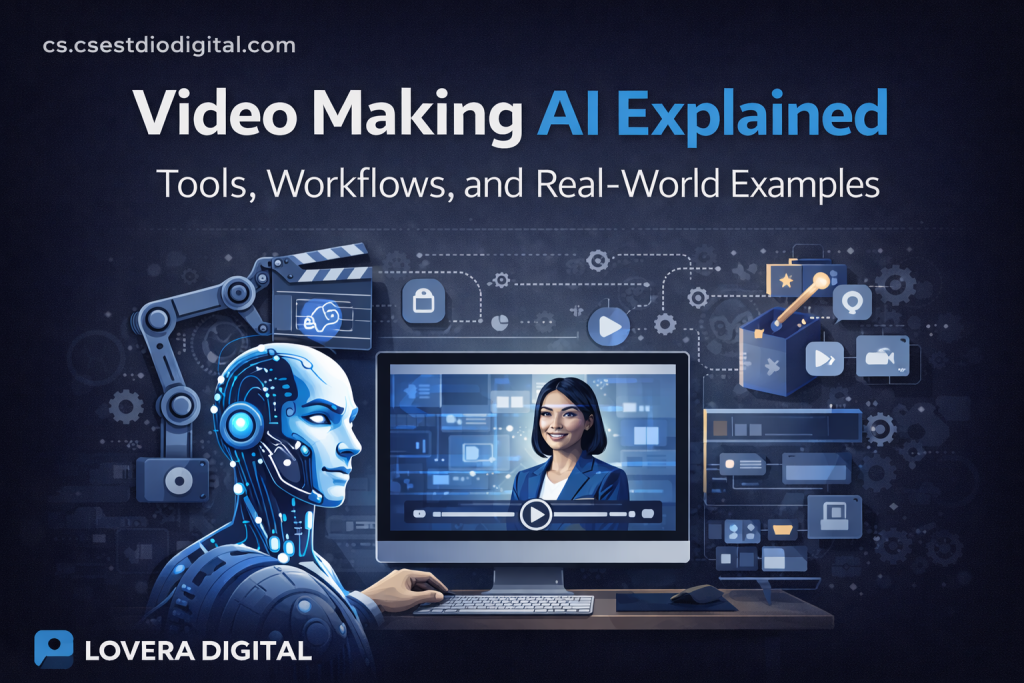
Video Making AI Explained: Tools, Workflows, and Real-World Examples
What Is Video Making AI and Why It Matters
Video making AI refers to software platforms that use artificial intelligence to automate, assist, or fully generate video content. These tools can create videos from text prompts, scripts, images, audio, or existing footage, reducing the need for traditional filming, editing, and post-production workflows.
What makes video creation AI so powerful is not just speed, but scalability. A single creator or small business can now produce content at a level that once required a full production team. This shift has changed how marketers, YouTubers, educators, and brands approach video content.
AI video creation matters because video is the most consumed content format across platforms like YouTube, TikTok, Instagram, and LinkedIn. The demand for video continues to grow, but time, budget, and technical skills remain major barriers. AI removes those barriers.
How Video Making AI Works Behind the Scenes
Most AI video creation software is built on a combination of machine learning models, natural language processing, and computer vision. While each platform differs, the underlying workflow follows a similar structure.
First, the AI analyzes your input. This could be text, voice, images, or a combination of elements. If you provide a script, the AI understands context, tone, and pacing. If you upload images or footage, it detects objects, scenes, and visual patterns.
Next, the system generates visual sequences. This can include stock clips, AI-generated scenes, animated elements, avatars, or motion graphics. The AI chooses visuals based on relevance, engagement potential, and platform format.
Then audio is added or synchronized. This may involve AI voiceovers, background music, sound effects, or lip-synced avatars. Advanced platforms allow tone, emotion, and pacing adjustments.
Finally, the AI assembles everything into a finished video, optimized for specific platforms like Shorts, Reels, or long-form YouTube content.
Core Types of Video Making AI Tools
Video making AI tools can be grouped into several main categories based on how they generate content.
Text-to-video platforms turn written prompts or scripts into full videos. These tools are popular for faceless channels, explainer videos, and educational content.
Avatar-based video creators use AI-generated presenters that speak your script on camera. These are commonly used for training videos, corporate content, and multilingual marketing.
AI video editors enhance or automate traditional editing. They cut footage, add captions, apply transitions, and optimize pacing automatically.
Generative video AI creates entirely new visuals using diffusion models. These tools are still evolving but are pushing the boundaries of cinematic and creative video production.
All-in-one AI video creation platforms combine multiple approaches into a single workflow, allowing users to go from idea to published video without switching tools.
A Practical AI Video Creation Workflow
Understanding a repeatable workflow is more important than mastering any single tool. A solid AI-powered workflow allows you to scale content efficiently.
Start with content planning. Define your goal, audience, and platform. AI works best when given clear intent. Decide whether the video is educational, promotional, or entertainment-focused.
Next, script creation. You can write your own script or use AI writing tools to generate one. Strong scripts still matter, even when visuals are automated.
Then choose the right video making AI platform. For short-form content, speed and format optimization matter most. For long-form videos, narration control and pacing become more important.
Customize visuals and audio. Even though AI automates most of the process, small adjustments improve quality. Swap clips, tweak voice tone, and adjust text placement.
Finally, optimize for distribution. Resize videos for each platform, add captions, and include strong hooks in the first few seconds. AI tools often include built-in optimization features for this step.

Real-World Examples of Video Making AI in Action
Many creators are already using AI to build profitable and scalable content systems.
Faceless YouTube channels rely heavily on AI video creation tools. These channels generate scripts, visuals, and voiceovers without appearing on camera. Niches like motivation, facts, finance, and storytelling are especially popular.
Small businesses use AI-powered video creation to produce product demos, social media ads, and explainer videos. This allows them to compete with larger brands without massive budgets.
Affiliate marketers use AI to create review videos, comparison content, and promotional Shorts at scale. One script can be repurposed into multiple video formats across platforms.
Educators and coaches use avatar-based video making AI to deliver courses and tutorials without recording themselves repeatedly. Updates can be made by editing text instead of re-filming.
News and media brands use AI to turn articles into videos automatically, increasing reach across video-first platforms.
Benefits and Limitations of Video Making AI
The biggest advantage of video making AI is efficiency. Content that once took days can now be created in minutes. This enables consistency, which is critical for algorithm-driven platforms.
AI also lowers the skill barrier. You no longer need advanced editing knowledge, expensive equipment, or on-camera confidence.
Scalability is another major benefit. AI workflows allow creators to test multiple ideas quickly and double down on what works.
However, AI video creation still has limitations. Generic outputs can occur if prompts and scripts are weak. Over-automation without creative direction often leads to bland content.
There are also ethical and branding considerations. Relying too heavily on AI avatars or stock visuals can reduce authenticity if not handled carefully.
The key is to use AI as a creative assistant, not a replacement for strategy and storytelling.
Choosing the Right Video Making AI for Your Needs
Not all AI video tools are built for the same purpose. Choosing the right one depends on your goals. If speed and volume matter most, look for platforms optimized for short-form content and automation.
If brand consistency is critical, prioritize tools that allow custom styles, fonts, and voice profiles. If you want advanced visuals, explore generative AI platforms with cinematic capabilities.
For beginners, ease of use and templates are more important than advanced features. For professionals, control and customization matter more. Testing multiple platforms before committing is often the smartest approach.
The Future of Video Making AI
Video making AI is advancing at a pace that few creators fully understand. What feels impressive today will look basic in just a couple of years. Motion will become more fluid. Scene transitions will feel cinematic rather than mechanical. Character expressions, lighting dynamics, and environmental details will reach a level where distinguishing AI-generated footage from traditional production becomes increasingly difficult.
But realism is only one layer of evolution.
The deeper shift will happen in storytelling intelligence. Future systems will not simply generate scenes based on prompts. They will understand narrative arcs, pacing psychology, and emotional progression. Instead of producing disconnected clips, AI will construct coherent stories with built-in tension, payoff, and rhythm. That changes everything for marketers, educators, and digital entrepreneurs who rely on engagement to drive results.
Another major transformation will come from personalization. We are moving toward AI systems that analyze audience behavior in real time and adjust video content accordingly. Imagine a product demo that automatically emphasizes different features depending on who is watching. Or educational content that adapts its explanation depth based on viewer retention signals. This is not theoretical — it is the direction the technology is heading.
Performance data will become a creative input, not just a reporting metric.
AI video platforms will increasingly integrate with analytics dashboards, ad managers, CRM systems, and email automation tools. Video will no longer be an isolated asset. It will function as part of a fully connected marketing ecosystem. Creation, testing, optimization, and monetization will operate inside a continuous feedback loop.
This integration will allow creators to:
- Automatically generate multiple variations of a video based on campaign goals
- Adjust hooks or calls-to-action depending on conversion data
- Repurpose long-form content into short-form formats instantly
- Trigger personalized follow-up sequences based on viewer interaction
The workflow becomes smarter with every interaction.
As automation deepens, the skill set required to succeed will also evolve. Technical editing expertise will matter less. Strategic thinking will matter more. Understanding audience psychology, offer positioning, and distribution systems will become the true differentiators. AI will handle execution speed. Humans will need to master direction.
For creators and businesses, this signals a clear opportunity. Those who experiment early will develop an intuitive understanding of how these systems behave. They will learn how to structure prompts effectively, design scalable workflows, and interpret performance signals. When the tools mature further, they will not be starting from zero — they will already operate at an advanced level.
In contrast, those who ignore the shift may eventually find themselves competing against creators who produce ten times more content, test ideas faster, and optimize continuously without increasing workload.
The future of video making AI is not just about better visuals. It is about smarter systems, integrated monetization, and adaptive storytelling. It is about turning video into a dynamic asset that evolves alongside audience behavior.
The advantage will not belong to those who wait for perfection.
It will belong to those who learn to build with the technology while it is still evolving
Final Thoughts
Video making AI has crossed an important threshold. It is no longer a curiosity reserved for early adopters or tech enthusiasts experimenting with new interfaces. It has become a practical production layer that allows individuals and teams to create more content without proportionally increasing time, cost, or complexity. That shift alone changes the economics of digital media.
For years, scaling video meant scaling effort. More scripts required more editing. More campaigns required more production days. More platforms required more formatting and repurposing. AI compresses that friction. It reduces the operational weight behind content creation, allowing creators to focus less on execution bottlenecks and more on strategy.
However, access to tools does not automatically translate into results.
The creators who will dominate this next phase are not the ones jumping between every new platform or chasing every feature release. They are the ones who design repeatable systems. They build workflows that start with audience clarity, move through structured scripting, integrate AI generation, and end with performance optimization. The tool becomes a component inside a larger machine.
Value creation remains the core variable.
AI can accelerate production, but it cannot replace intentional positioning. It cannot define your offer, refine your messaging, or understand your market better than you do. When creators combine strategic thinking with AI execution, the output multiplies. When they rely on automation without direction, the result is noise.
This is why the conversation is no longer about whether AI should be used. It is about how intelligently it is implemented.
If you are building a personal brand, AI video allows you to maintain visibility without burning out. If you are growing a YouTube channel, it enables you to test formats, hooks, and angles faster than manual production ever allowed. If you are running a business, it integrates into marketing funnels, product launches, onboarding systems, and paid advertising workflows.
The baseline has shifted.
AI-powered video creation is becoming the expected standard rather than the competitive advantage. As more creators adopt these tools, the real differentiation will come from how effectively they are integrated into broader business systems. Those who hesitate too long risk competing against operators who publish more, iterate faster, and optimize continuously.
Mastering AI video today is not about chasing hype. It is about future-proofing your creative process. It is about building leverage into your workflow so that each idea can be tested, refined, and monetized with greater efficiency.
If you develop that capability now, you are not simply adapting to change. You are positioning yourself ahead of it, with systems that grow stronger as the technology improves.