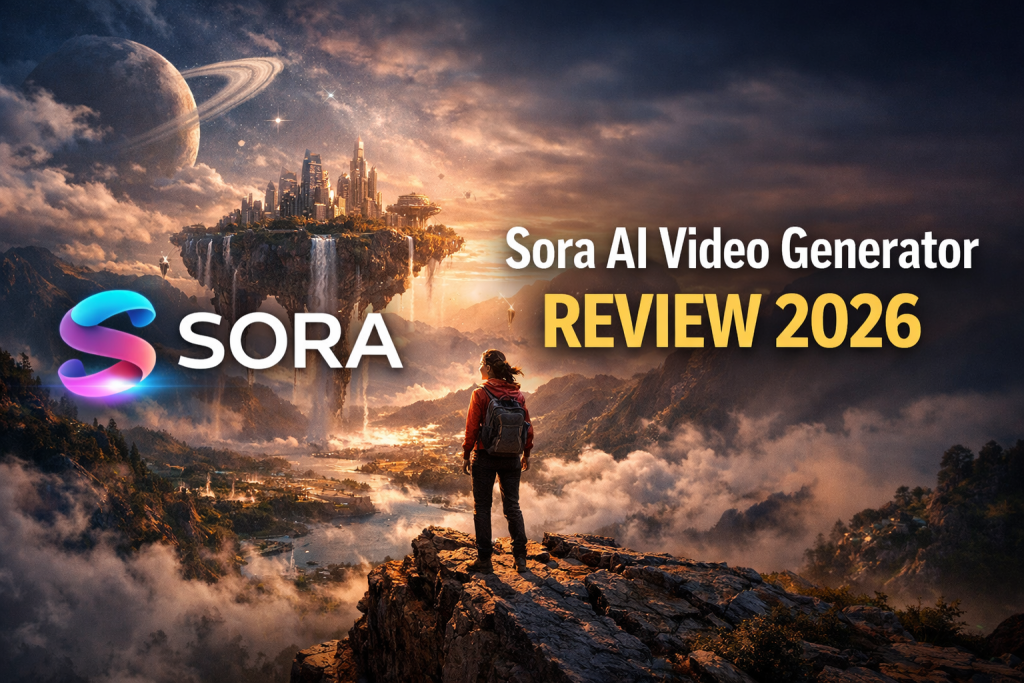
Sora AI Video Generator Review 2026: In-Depth Analysis of OpenAI’s Text-to-Video Tool
Sora is OpenAI’s ambitious text-to-video generative model that aims to transform written prompts into dynamic, AI-generated video content. Built on advanced transformer architectures and extensive training data, Sora enables creators to generate videos directly from text or still images — potentially redefining how short-form content is produced. Unlike simple animation or template-based editors, Sora strives for deeper semantic understanding and video coherence, allowing users to generate clips up to 20-60 seconds depending on plan and settings.
Sora solves the high-barrier problem of traditional video production by eliminating the need for camera gear, actors, or editing suites. For creators, marketers, and storytellers, it promises rapid production of engaging clips suitable for social platforms. However, it also comes with limitations — including inconsistency, motion artifacts, ethical concerns, and performance variability — that currently restrict its reliability for professional workflows.
Sora is ideal for digital content creators, social media managers, and experimental storytellers who prioritize rapid iteration and creative exploration. It is not ideal for high-budget cinematic production, precise long-form storytelling, or workflows requiring dependable frame-by-frame control.
What Sora AI Video Tool Does Best
At its core, Sora excels in transforming text descriptions into short video clips that incorporate motion, basic scene continuity, and physics-inspired transitions — something few text-to-video systems achieve with relative ease. Its architecture allows the model to reason over sequences of frames, maintaining consistency over the duration of the clip.
Sora’s standout advantage is its text-to-video generation with image input support and storyboard capabilities, meaning creators can animate still visuals and even extend existing footage with additional frames. Its support for multiple aspect ratios — vertical for social media, square for Instagram, and widescreen for YouTube — makes it versatile across platforms.
Another key strength is the metadata and prompt engineering efficiency: detailed prompts can control lighting, camera movement, and scene elements to some extent, enabling rapid ideation and iteration for short-form video concepts.

Sora AI Video Generation Key Features Explained
Advanced Text-to-Video Engine
Sora’s core function is generating dynamic videos from text prompts. The system interprets natural language descriptions and translates them into motion, object interactions, and camera behavior.
Still-to-Video and Video Extension
Beyond pure text input, Sora can animate static images or extend existing clips by generating intermediate frames. This adds utility for creators who want to breathe motion into still assets.
Multi-Aspect Ratios and Resolution Options
Sora supports various aspect ratios — ideal for YouTube (16:9), Instagram (1:1), and TikTok/Reels (9:16) — with resolutions scaling up to 1080p on higher-tier plans.
Storyboard & Remix Tools
Tools like storyboarding enable narrative planning within the generator, while remix and blend features let creators combine and transform multiple clips for creative effects.
Credit-Based Subscription System
Sora operates within a credits framework, often bundled into ChatGPT subscription plans. Credits are consumed based on video length, quality, and feature use.
Sora AI Pros and Cons
Pros
• Generates dynamic videos from text or images — Simplifies production from concept to output.
• Multi-platform support — Vertical, square, and widescreen outputs for social networks.
• Advanced editing features — Storyboard, remix, and blend tools add creative flexibility.
• High customization potential — Detailed prompts allow nuanced control over scene elements.
Cons
• Inconsistent output quality — Users report a significant variance between successful and flawed generations.
• Motion realism challenges — Movement often appears jerky or unnatural in complex scenes.
• Performance and capacity issues — Queues, server capacity problems, and delayed rendering can hamper workflow.
• Ethical and legal risks — Deepfake generation and misuse concerns remain unresolved, leading to platform governance debates.
• Not reliable for professional cinematic work — Best suited to short, concept-level clips rather than polished film-grade output.
Who Should Use This Tool
Sora is designed for creative acceleration. It is not a replacement for full cinematic production pipelines, but it is a powerful tool for rapid visual generation, concept exploration, and short-form storytelling. Its strength lies in turning ideas into motion quickly, making it particularly valuable for creators who prioritize speed, experimentation, and scalable output.
Sora is best for:
- Social media content creators needing rapid short clips for platforms like TikTok, Instagram, and YouTube Shorts.
Short-form platforms reward frequency and creativity. Sora enables creators to test multiple visual concepts, hooks, and storytelling angles without organizing shoots or managing complex editing workflows. For creators operating in fast-moving content ecosystems, speed equals competitive advantage. - Digital marketers and storytellers looking to prototype narratives without film crews.
Marketing campaigns often begin with conceptual exploration. Sora allows teams to visualize story ideas, mood-driven sequences, or promotional angles before committing to full-scale production. This reduces creative friction and accelerates internal decision-making. - Educators and trainers creating engaging explainers or animated visuals.
Training content does not always require live filming. Sora can help transform abstract ideas into animated demonstrations, visual metaphors, or scenario-based explainers. This improves engagement while lowering production costs. - Experimenters and AI enthusiasts who want to explore generative video possibilities.
For those interested in pushing creative boundaries, Sora offers a sandbox for testing prompts, styles, motion dynamics, and visual storytelling structures. It rewards curiosity and iterative experimentation.
Sora is not ideal for:
- Film production professionals needing frame-perfect control.
High-end cinematic workflows require precise control over camera movement, lighting continuity, sound design, and editing layers. Sora is not built to replace advanced production environments where every technical element must be manually directed. - Long-form storytelling beyond brief sequences.
While Sora can generate compelling short clips, extended narratives with consistent character development and complex continuity are better handled through traditional production methods or hybrid workflows. - Highly consistent output requirements where every frame must be predictable.
Generative systems inherently introduce variation. If a project demands exact replication across multiple scenes or strict brand-compliance precision, additional post-production and manual refinement will likely be necessary.
In essence, Sora excels as a creative acceleration tool. It is strongest when used for ideation, short-form storytelling, and rapid content generation. For projects requiring full cinematic precision and long-form narrative control, it works best as a complementary asset rather than a standalone production solution.
Sora AI Pricing, Plans and Limitations
Sora’s pricing is typically tied to OpenAI’s subscription tiers:
• ChatGPT Plus (~$20/month): Entry-level access with basic generation credits and lower resolution output.
• ChatGPT Pro (~$200/month): Professional tier offering more credits, higher resolutions, watermark-free exports, and longer clips (up to ~20 seconds).
Free or invite-based tiers exist in some regions with limited daily generations and watermarked videos, but access restraints are common.
Limitations include credit-based consumption, meaning heavy users can hit caps quickly, and variable access depending on geographic rollout and server capacity.
YouTube Shorts Prototyping
Creators can generate quick visual sequences to test hooks or scene ideas before full production. Short-form content lives or dies in the first few seconds. Instead of investing hours scripting, filming, and editing a full video, creators can use generative tools to rapidly prototype different openings, visual angles, or emotional tones.
This allows you to test:
- Multiple hook variations
- Different pacing styles
- Visual intensity levels
- Story framing approaches
If one version performs better in early testing, you can double down on that concept for full production. This reduces wasted effort and turns experimentation into a structured strategy.
Prototyping shifts your mindset from guessing what might work to validating what actually does.
Social Media Clips
Rapidly produce engaging motion content tailored to TikTok and Reels formats.
Short-form platforms reward speed, consistency, and visual impact. Generative video tools allow creators and brands to produce scroll-stopping clips without organizing shoots, hiring editors, or managing complex timelines.
You can quickly create:
- Trend-aligned visual snippets
- Quote-style motion graphics
- Fast educational micro-content
- Promotional announcements
- Story-driven short clips
Because production friction is lower, you can focus more on testing creative angles and less on technical execution. The result is higher output volume with controlled effort — which is exactly what short-form algorithms reward.
Product Promos
Generate animated product showcase clips without studios or photographers.
Traditional product promotion often requires location setups, lighting, camera operators, and post-production editing. Generative tools simplify this dramatically. Brands and creators can visualize product highlights, feature demonstrations, or stylized reveal sequences with minimal overhead.
This is especially powerful for:
- E-commerce testing
- Early-stage product launches
- Digital product marketing
- App and software demonstrations
- Seasonal promotional campaigns
Instead of committing to expensive shoots, businesses can validate creative directions first. Once a concept proves effective, higher-budget production can follow — or the AI-generated version may be sufficient on its own.
Explainer Animations
Visualize concepts or educational snippets with motion and simple narrative.
Some ideas are difficult to explain through text alone. Motion adds clarity. Generative video makes it possible to turn abstract topics into visual storytelling without complex animation skills.
This works well for:
- Educational breakdowns
- Step-by-step demonstrations
- Process visualizations
- Concept simplifications
- Scenario-based training
Educators, coaches, and content creators can transform static explanations into dynamic visuals that increase retention and engagement.
In each of these use cases, the real advantage is speed combined with flexibility. Instead of being limited by production resources, creators can focus on refining the message and experimenting with delivery — which ultimately drives better results.
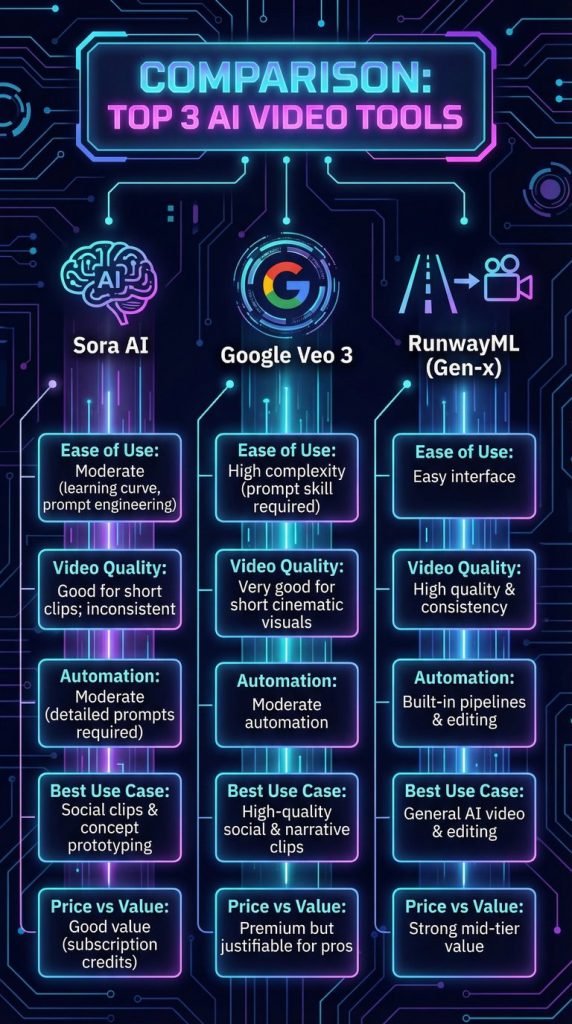
Comparison: Top 3 AI Video Creation Tools
| Tool | Ease of Use | Video Quality | Automation Capabilities | Best Use Case | Price vs Value |
|---|---|---|---|---|---|
| Sora AI | Moderate (learning curve for prompt engineering) | Good for short clips; inconsistent at times | Moderate (requires detailed prompts) | Social clips & concept prototyping | Good value if used with subscription credits |
| Google Veo 3 | High complexity (prompt skill required) | Very good for short cinematic visuals | Moderate automation | Best for high-quality social & narrative clips | Premium but justifiable for pros |
| RunwayML (Gen-x) | Easy interface | High quality and consistency | Built-in pipelines & editing | General AI video and editing | Strong mid-tier value |
Conclusion
Sora remains a compelling tool for rapid ideation and social video generation, especially for creators who value speed and experimentation over absolute precision. Its ability to transform written prompts into dynamic visual sequences lowers the barrier to entry for storytelling and short-form content production. For brainstorming sessions, concept validation, and early-stage creative exploration, it offers clear advantages.
However, expectations must be balanced with practical realities. Output quality can vary depending on prompt structure, scene complexity, and motion demands. While some generations appear impressively cinematic, others may show inconsistencies in physics, continuity, or visual coherence. This unpredictability means Sora performs best as a creative accelerator rather than a final-production replacement.
Ethical considerations also play an important role. As with all generative media tools, questions around content authenticity, responsible usage, and intellectual property must be addressed thoughtfully. Creators and businesses using Sora should ensure transparency when appropriate and remain aware of platform guidelines and evolving regulatory standards.
One of Sora’s strengths lies in its integration within the broader OpenAI subscription ecosystem. This makes access relatively straightforward for users already operating inside that environment. The familiarity of the interface and shared infrastructure reduces onboarding friction compared to entirely separate platforms.
That said, in terms of reliability and production polish, Sora still trails more mature video-generation and hybrid editing platforms that offer deeper workflow controls, stronger frame consistency, and more robust post-production features. For high-stakes commercial campaigns or projects requiring frame-level precision, additional refinement outside the platform is often necessary.
In practical terms, Sora works best when positioned strategically within a content workflow. Use it for ideation, rapid testing, visual experimentation, and short social sequences. Pair it with editing tools for final polishing when higher production standards are required. When approached with this mindset, it becomes a valuable creative asset rather than an overextended solution.
Author’s Note: I research and evaluate AI video tools from the perspective of a digital entrepreneur who builds and monetizes content sites across multiple niches. My focus is always practical: does this tool fit into a real production workflow, what does it actually cost at scale, and does it deliver value for creators building long-term online assets. This review reflects that analytical approach, combined with direct exploration of the platform.
AI Video Creation System
Learn How to Create AI Video Fast an Easy,
If you want a step-by-step guide to create AI videos fast — without learning 50 complicated tools — download the free PDF below and simplify your entire workflow.
Download the free guide:
How to Create AI Videos FAST Without Learning 50 Complicated Tools