Google Veo 3 Review Introduction
Google Veo 3 is one of the most talked-about advancements in generative artificial intelligence for video production in 2026. It represents Google’s push to lead the text-to-video space by allowing creators to produce short, high-quality video clips directly from text prompts. Veo 3 moves beyond simple animation and background generators to include synchronized native audio, believable motion and cinematic quality far above what’s been typical in consumer AI video tools. It’s available through Google’s ecosystem — in apps like Gemini, Google Photos, YouTube Shorts, and more advanced workflows via Vertex AI and tools like Google Flow — which reflects how Google intends this model to serve everyone from social media creators to enterprise storytellers.
Veo 3 solves a clear problem: it dramatically reduces technical barriers for generating video content, eliminating cameras, crews, or external footage libraries. It lets creators focus on narrative and concept rather than production logistics. But it also comes with trade-offs in cost, workflow complexity, and output limitations. This review breaks down what Veo 3 does, where it excels, and who should (or shouldn’t) be using it in 2026.
What Google Veo 3 AI Video Tool Does Best
Google Veo 3 stands out for creating 8-second (and evolving to longer) video clips with synchronized audio directly from plain text prompts. Its strengths lie in realistic motion, embedded audio (dialogue, sound effects, and ambient noise), and a high degree of semantic interpretation of prompts, meaning it tries to understand scene instructions more deeply than feature-simple tools. Veo 3 is increasingly integrated across Google products — for example inside YouTube Shorts for on-device generation from text prompts — signifying broader adoption.
Unlike many early AI video models that could only render static backgrounds or silent loops, Veo 3’s core advantage is native sound generation and prompt interpretation. That allows creators to generate content that feels more narrative and less like generic motion mockups, making it a powerful choice for short storytelling, social clip creation, rapid prototyping, and product promos.

Google Veo 3 Key Features
Text-to-Video with Audio
Google Veo 3 generates videos from natural language prompts with built-in audio, including dialogue and Foley-style effects, with an aim for lip sync and environmental sound. This feature makes outputs feel more complete without an external sound editor.
Prompt Interpretation and Scene Control
The model parses prompts to execute camera angles, lighting cues, motion semantics, and object placement. It supports both narrative and descriptive prompts, offering nuanced control when used well.
Integrations Across Platforms
Veo 3 appears not just in traditional developer environments like Vertex AI, but also consumer apps. For instance, YouTube Shorts now offers text-based generation directly within the app interface, making it accessible to mobile creators.
Support for Multiple Output Formats
Recent updates expand resolution options to 1080p and vertical formats like 9:16 for social media platforms, addressing a key need for today’s creators.
Google Veo 3 Pros and Cons
Pros
• High-quality short clips with audio
Veo 3’s ability to generate synchronized video and sound puts it ahead of models that produce silent visuals only.
• Flexible prompt interpretation
Creators can describe scenes in natural language and still get coherent visuals, which speeds up ideation and prototypes.
• Broad platform integration
From professional Google workflows to casual apps like Shorts and Photos, Veo 3 has multiple access points.
• Enterprise-level production scale (Vertex AI)
Companies can deploy Veo 3 at scale inside custom pipelines for marketing, training, and internal media creation.
Cons
• High cost for full access
The most powerful features are locked behind Google AI Ultra plans (~$250/month), which is out of reach for many casual creators.
• Clip length limitations
Veo 3 traditionally capped outputs to short clips (around eight seconds), requiring stitching workflows for longer videos. This limitation adds editing friction.
• Quality vs control trade-offs
Users report unpredictable audio sync and spatial rendering issues in more complex prompts, which can reduce professional polish.
• Workflow complexity
Working with Veo 3 via Vertex AI or developer APIs requires technical setup and billing transparency issues, complicating adoption without engineering support.
Who Should Use This Tool
Google Veo 3 is built for creators and teams who value cinematic quality, rapid production, and scalable output. It is not a casual toy — it is a high-performance tool that rewards structured workflows and clear creative direction. When used strategically, it can dramatically accelerate content production without the overhead of traditional filming.
Google Veo 3 is suited for:
- Social media creators who need quick, engaging clips and can tolerate short video outputs.
Short-form platforms prioritize impact over duration. Veo 3 excels at generating visually polished sequences that capture attention within seconds. Creators who understand pacing, hooks, and strong prompt structure can extract significant value from short, high-quality outputs. - Digital marketers and brands wanting to produce high-volume content without video shoots.
Marketing teams often need multiple variations of ads, promos, and campaign assets. Veo 3 allows rapid generation of cinematic-style visuals without renting studios, coordinating talent, or managing production crews. This lowers costs and increases testing capacity. - Prototype storytellers and concept developers who use generated visuals to test ideas and moods.
Before committing to full production budgets, teams can use Veo 3 to visualize tone, atmosphere, camera movement, and emotional direction. It functions as a powerful pre-visualization engine, helping refine creative direction early in the process. - Enterprise production teams with the budget for premium plans and integration support.
Larger organizations that can invest in advanced plans and workflow integration benefit from Veo 3’s scalability. For them, the cost is justified by reduced production friction and accelerated content cycles.
It is not ideal for:
- Casual hobbyists who lack budget for subscriptions or credit usage.
Veo 3 operates within a premium ecosystem. For users experimenting occasionally without clear monetization goals, the cost structure may outweigh the benefits. - Content requiring precise narrative continuity longer than a few seconds without external editing.
While Veo 3 produces impressive short sequences, extended storytelling with strict character continuity and complex scene progression typically requires additional editing and post-production support.
In essence, Google Veo 3 is best suited for serious creators, marketers, and production teams who understand how to leverage AI within a broader content strategy. It rewards intention, structure, and investment — and performs strongest when integrated into a disciplined workflow rather than used casually.
Google Veo 3 Pricing, Plans and Limitations
Veo 3 primarily sits behind Google’s subscription tiers:
• Free and trial access Offering limited daily generations at lower resolutions and shorter clip lengths.
• Google AI Pro (~$19.99/month) Offers limited Veo 3 Fast generation and lower resolution clips, suitable for casual social use.
• Google AI Ultra (~$249.99/month) Full Veo 3 access with higher resolution, extended outputs, and more credits per month. Promotional pricing often reduces initial cost.
Limitations to Note
• The clip length cap forces creators to manually stitch segments for longer stories.
• Billing visibility on Vertex AI can be unclear, making cost forecasting difficult.
Google VEO 3 Examples
Here we take a look at some of examples of Veo 3
Google Veo 3 Real Use Case Examples
Google Veo 3 is not just a “cool AI video generator.” When used strategically, it becomes a production multiplier. Below are practical ways creators and businesses are already leveraging it to save time, reduce costs, and scale output.
YouTube Automation
Short AI-generated intros, outros, and explainer visuals can keep content pipelines full without cameras.
Instead of filming custom B-roll or hiring editors for simple animated sequences, creators can generate cinematic opening hooks, animated transitions, or visual explanations directly from prompts.
This is especially powerful for faceless YouTube channels where consistency and upload frequency matter more than on-camera presence. AI-generated sequences can:
- Maintain visual freshness across multiple videos
- Reduce editing time
- Support daily or even multiple uploads per day
- Add perceived production value without increasing costs
For automation-focused creators, Veo 3 becomes part of a repeatable system rather than a one-off experiment.
Faceless Social Clips
Creators can generate stand-alone visual segments that pair with voice-overs for platforms like TikTok or Reels.
Short-form platforms reward attention-grabbing visuals in the first 1–3 seconds. Veo 3 can produce dramatic environments, stylized motion shots, or abstract backgrounds that enhance storytelling without requiring personal filming.
This approach works well for:
- Motivational content
- AI-generated storytelling
- Financial tips and business insights
- Educational micro-lessons
- Quote-based videos with cinematic backing
The key advantage is speed. Instead of planning a shoot, creators can test multiple visual styles in hours, not days.
Marketing Promos
Brands can prototype ad visuals rapidly and test variants at scale without shooting footage.
Marketing teams often need multiple creative angles to determine what converts best. With Veo 3, they can:
- Generate multiple visual concepts for A/B testing
- Create product atmosphere shots
- Simulate lifestyle scenes
- Build teaser visuals before full campaign production
This drastically lowers the barrier to experimentation. Instead of investing heavily upfront in production, teams can validate messaging and aesthetics first — then double down on what performs.
Educational Visuals
Veo 3 can create engaging explainers to illustrate concepts for learners in short, dynamic clips.
Complex ideas become easier to understand when paired with motion and visual storytelling. Educators and content creators can use Veo 3 to:
- Visualize abstract concepts
- Create animated demonstrations
- Add visual metaphors to explanations
- Break down processes into short dynamic segments
For online courses, social education content, or training modules, this increases retention and engagement without requiring professional animation teams.
Used correctly, Google Veo 3 is less about replacing traditional production and more about accelerating it. It shines when integrated into structured workflows that prioritize testing, speed, and scalable output.
Comparison: Top 3 AI Video Creation Tools
| Tool | Ease of Use | Video Quality | Automation Capabilities | Best Use Case | Price vs Value |
|---|---|---|---|---|---|
| Google Veo 3 | High complexity (requires prompting skill) | Very high for short clips with audio | Moderate (still requires manual prompt work) | Best for short cinematic clips & social content | Premium price, pro value for frequent creators |
| RunwayML (e.g., Gen-2) | More intuitive UI for creators | High quality adaptable outputs | Higher automation built into UI workflows | General video generation & editing | Moderate price, good entry for creators |
| Synthesia | Very easy (template-based) | Good to high for talking heads and corporate videos | High automation (script to video) | Training & corporate presentations | Strong price/value for business content |
Final Verdict: The Impact of Google Veo 3
In conclusion, Google Veo 3 stands as a powerful, forward-looking tool for AI video generation in 2026. It is specifically designed for creators and professionals who are willing to invest in premium access and master the nuance of advanced prompting. Its strengths in synchronized audio and high-fidelity text-to-video integration place it near the top of the category, setting a high bar for cinematic realism.
The Creative Edge
The true value of Veo 3 lies in its multimodal synergy. Unlike previous generations that treated video and audio as separate entities, Veo 3 generates them in tandem, ensuring that environmental sounds and musical cues match the visual pacing perfectly. For filmmakers and social media architects, this reduces the need for extensive post-production, allowing for a “one-shot” creative workflow that was previously unthinkable.
Operational Challenges
However, the platform is not without its hurdles. The limitations around cost, clip length, and workflow complexity prevent it from being a “one-size-fits-all” solution for every user. While the output is breathtaking, the steep learning curve required to bypass the “AI-look” and achieve specific artistic visions means that casual users might find more accessible tools like Synthesia or RunwayML more practical for day-to-day tasks.
Looking Ahead
Ultimately, Google Veo 3 represents a shift toward pro-grade AI filmmaking. It transitions the technology from a mere novelty into a legitimate production asset. For those who prioritize visual sovereignty and are ready to navigate the premium pricing tiers, Veo 3 offers a glimpse into the future of digital storytelling—where the only real limit is the depth of the user’s imagination.
Author’s Note:I research and evaluate AI video tools from the perspective of a digital entrepreneur who builds and monetizes content sites across multiple niches. My focus is always practical: does this tool fit into a real production workflow, what does it actually cost at scale, and does it deliver value for creators building long-term online assets. This review reflects that analytical approach, combined with direct exploration of the platform.
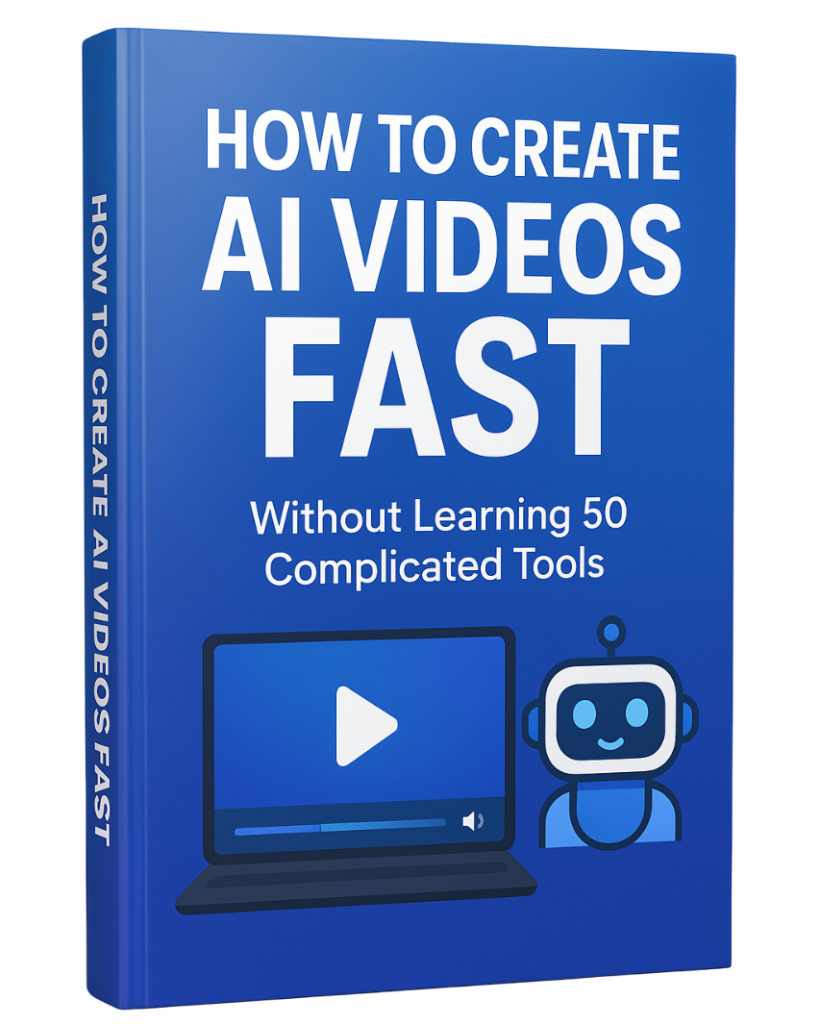
AI Video Creation System
Learn How to Create AI Video Fast an Easy,
If you want a step-by-step guide to create AI videos fast — without learning 50 complicated tools — download the free PDF below and simplify your entire workflow.
Download the free guide:
How to Create AI Videos FAST Without Learning 50 Complicated Tools