
Introduction
AI video maker free platforms have changed the way people create digital content. Only a few years ago, producing videos required expensive software, technical knowledge, and many hours of manual editing. Today, artificial intelligence allows almost anyone to generate videos quickly, even with no prior experience.
The idea of creating videos at zero cost is extremely attractive. Entrepreneurs want free promotional videos. Content creators want free social media clips. Bloggers want to convert articles into videos without spending money. The demand for simple and affordable video creation has never been higher.
However, free AI video makers come with advantages and limits. Many people try them expecting perfect results and get disappointed. Others ignore them completely, believing that free tools cannot produce anything useful.
The reality is somewhere in the middle. An AI video maker free can be powerful when used correctly, but only if creators understand how to work within its constraints.
This article explains how free AI video makers work, what they can realistically do, how to build an effective workflow, and how to create better videos even without paying for premium tools.
What Is an AI Video Maker Free
Definition of Free AI Video Makers
An AI video maker free is a software tool that uses artificial intelligence to generate videos automatically or semi-automatically without requiring payment.
Most free AI video makers include features such as:
- Automatic video assembly
- Text-to-video conversion
- AI voiceovers
- Stock footage integration
- Basic editing tools
- Automatic captions
These platforms simplify the video creation process by reducing technical steps and replacing them with AI-driven automation.
How Free AI Video Makers Operate
Free AI video makers are designed around automation and simplicity. While each platform has its own interface and features, most follow a very similar workflow that reduces the technical barriers traditionally associated with video production.
The process typically begins when the user provides input. This can be a block of text, a structured script, bullet points, images, or sometimes even just a short prompt describing the desired outcome. Instead of manually arranging clips on a timeline, the creator focuses on defining the message.
Once the input is submitted, the AI analyzes the content. It identifies key phrases, themes, tone, and structure. Natural language processing helps the system understand what the video is about and what type of visuals might match the intent. If images are uploaded, the system evaluates them to determine placement, framing, and transitions.
After analyzing the material, the platform automatically selects visuals, animations, layouts, and sometimes background music. Templates are often used as structural frameworks. The AI matches scenes with stock footage, animated elements, text overlays, or avatar narrations depending on the tool’s capabilities.
With these elements assembled, the video is generated automatically. This step replaces what would traditionally require manual editing, timeline adjustments, rendering decisions, and formatting work. In many cases, users can preview and make light adjustments before finalizing.
Finally, the user exports the finished result in the available resolution. Free versions may include watermarks or resolution limits, but the core creation process remains intact.
Overall, this workflow removes much of the manual effort involved in traditional editing. Instead of focusing on technical execution, creators can concentrate on messaging, structure, and strategy — which ultimately matter more than complex editing skills.

What You Can Create With an AI Video Maker Free
Types of Videos Ideal for Free AI Tools
Free AI video makers work best for specific kinds of content. The most effective formats include:
- Educational explainer videos
- Social media clips
- Simple promotional videos
- Faceless YouTube content
- Product presentations
- Tutorial summaries
These formats rely more on structure and information than on advanced cinematic editing, which makes them suitable for free tools.
Tasks That Free AI Video Makers Handle Well
An AI video maker free can successfully manage:
- Converting text into video scenes
- Adding background music
- Creating subtitles
- Generating voice narration
- Arranging basic transitions
- Producing short videos quickly
For beginners and small projects, these capabilities are often more than enough.
Limitations of an AI Video Maker Free
Common Restrictions in Free Plans
Free AI video makers are designed to showcase capability — not to replace premium subscriptions. That means limitations are part of the structure, not an accident. Understanding those limits upfront prevents frustration later.
Most platforms offering an AI video maker free plan include restrictions such as:
- Watermarks on exported videos, which can affect professionalism and branding.
- Limited video length, restricting how deep you can go into a topic.
- Reduced export quality, often capped below full HD.
- A limited number of projects or monthly exports, slowing production volume.
- Fewer templates or design options, which can make videos look similar to others using the same plan.
- Basic customization only, limiting control over fonts, transitions, colors, or animations.
These constraints do not make free tools ineffective. In fact, they are extremely useful for experimentation and learning. However, they do influence how and where the final videos can realistically be used.
For example, a watermark may not matter for testing content on social media, but it could undermine credibility in a paid advertising campaign. Similarly, reduced export quality may be acceptable for short-form platforms but not for high-resolution YouTube uploads.
The key is alignment. Use free tools for exploration and validation — not for polished, large-scale commercial deployment.
Quality Challenges to Expect
Beyond technical restrictions, there are also performance limitations. Free AI video makers can struggle with more nuanced creative demands.
Common challenges include:
- Natural pacing, where scene timing may feel slightly rushed or awkward.
- Advanced visual storytelling, especially when narrative flow requires emotional buildup.
- Perfect audio quality, including voiceovers that may sound slightly synthetic.
- Precise branding, due to limited font and design flexibility.
- Complex editing needs, such as layered transitions or cinematic effects.
These weaknesses are not flaws — they are trade-offs for accessibility and automation.
The mistake many creators make is fighting the tool instead of adapting their workflow. If you know pacing may feel rigid, write tighter scripts. If customization is limited, simplify branding. If storytelling feels mechanical, refine the narrative structure before generation.
Understanding the constraints allows you to design around them.
And when you design around the limits instead of resisting them, free tools become far more effective than most people expect.
Understanding these weaknesses helps creators plan better workflows instead of fighting the tools.
Step-by-Step Workflow Using an AI Video Maker Free
Step 1: Start With a Clear Script
Every good video begins with a well-structured script. Even the best AI video maker free cannot fix a weak message.
Follow this process:
- Define the goal of the video
- Write short, simple sentences
- Focus on one idea per scene
- Remove unnecessary details
- Keep introductions brief
A clean script dramatically improves final video quality.
Step 2: Choose the Right Free AI Platform
Not all free AI video makers are the same. Some are better for short clips, others for educational content.
When selecting a tool, evaluate:
- Export limits
- Available templates
- Voiceover options
- Caption support
- Ease of use
Choosing the right platform saves time and frustration.
Step 3: Generate the First Draft
After uploading the script or content:
- Let the AI create the initial version
- Review scene selection
- Check timing and flow
- Identify weak sections
The first draft is rarely perfect, but it provides a strong starting point.
Step 4: Apply Manual Improvements
Even with an AI video maker free, human editing is essential.
Important manual actions include:
- Reordering scenes
- Shortening long sections
- Fixing awkward phrases
- Adjusting visuals
- Improving the opening hook
These small changes have a big impact on viewer retention.
Step 5: Export and Optimize
Before publishing:
- Add clear captions
- Choose appropriate music
- Verify audio levels
- Test on multiple devices
- Optimize title and description
This final polish makes free videos look more professional.
AI Video Maker Free: Best Practices for Better Results
Focus on Simplicity
Free AI tools are powerful — but they are not magic. They perform best when the creative direction is clear, focused, and structured. The more complex and abstract the request, the more likely the output becomes inconsistent or cluttered.
Simplicity is not a limitation. It’s leverage.
When working with an AI video maker free, think in clean building blocks rather than layered cinematic experiments. Keep these principles at the center:
- Short scenes that move quickly and avoid unnecessary filler
- Clear messaging focused on one main idea per video
- Minimal effects that enhance, not distract
- Strong structure with a beginning, middle, and end
- Direct language that is easy to follow
Free AI systems can struggle with complex transitions, abstract storytelling, or overloaded instructions. When prompts are too dense, results often look chaotic or generic. By simplifying your concept, you actually increase output quality.
Clarity beats complexity every time.
If your idea cannot be summarized in one sentence, it probably needs refinement before generating the video.
Prioritize Retention Over Effects
One of the most common beginner mistakes is obsessing over animations, transitions, and visual effects. Movement feels impressive. But movement alone does not hold attention.
Retention is driven by psychology, not decoration.
What truly matters:
- A strong opening that creates curiosity within the first 3 seconds
- Clear information that delivers immediate value
- Logical flow that feels easy to follow
- Consistent pacing that avoids awkward pauses or rushed segments
You can have beautiful animations — and still lose viewers if the message lacks focus.
An AI video maker free should amplify your idea, not become the idea. Effects should support clarity. Transitions should guide attention. Music should reinforce emotion. Every visual decision should serve the story.
If removing the effects improves the video, the effects were unnecessary.
Build Reusable Templates
Efficiency is one of AI’s biggest advantages. But efficiency without structure creates inconsistency. That’s where templates become powerful.
Instead of reinventing your format for every video, create a repeatable system:
- Develop standard intros with a recognizable hook style
- Use the same fonts and color palette for branding
- Maintain similar layouts for visual familiarity
- Reuse successful formats that already performed well
Consistency builds trust. Viewers begin to recognize your style. Your content feels intentional instead of random.
Templates also reduce decision fatigue. The less time you spend adjusting design details, the more time you can invest in refining your message and strategy.
Free tools may limit advanced customization, but strategic repetition turns that limitation into brand identity.
Professionalism is not about complexity. It’s about coherence.
When your videos look consistent, structured, and purposeful, even free AI-generated content can compete with higher-budget productions.
Who Benefits Most From AI Video Maker Free Tools
Ideal Users
Free AI video makers are not just entry-level toys. Used correctly, they are strategic launchpads. Certain groups benefit disproportionately because the barrier to entry is low and the learning curve is manageable.
They are especially valuable for:
- Beginners learning video creation who want hands-on practice without investing in expensive software.
- Small businesses on tight budgets that need promotional content but cannot yet justify hiring editors or agencies.
- Bloggers converting articles into videos to expand distribution across YouTube, Instagram, or short-form platforms.
- Students creating presentations who want more dynamic assignments without advanced editing skills.
- New content creators testing ideas before committing to a full production workflow.
For these users, free tools provide something critical: momentum. Instead of getting stuck planning, comparing software, or waiting for perfect conditions, they can start immediately.
The psychological benefit is huge. Creation beats hesitation.
Free AI tools lower the friction between idea and execution. And when you’re starting out, reducing friction matters more than achieving perfection.
They also accelerate the learning cycle. You generate. You publish. You observe results. You refine. That feedback loop builds real skill — faster than theory ever will.
When Free Tools Make Sense
An AI video maker free is not the final destination for everyone. But in the right stage, it is exactly what you need.
It makes perfect sense when:
- You are experimenting with niches and testing audience response.
- You need quick social media content without heavy editing.
- Your budget is limited and risk must stay low.
- You want to validate an idea before investing money.
- Production speed matters more than perfection.
Early-stage creators often fall into one of two traps: waiting too long to start or overspending too early. Free tools solve both problems. They allow fast experimentation without financial pressure.
If a concept fails, you pivot.
If it gains traction, you optimize.
That flexibility is powerful.
Free tools are ideal during exploration and validation phases. They allow you to test hooks, formats, storytelling angles, and content pillars. Once data proves what works, then scaling with paid tools becomes a strategic upgrade — not a guess.
In short, free AI video makers are best used as accelerators. Not shortcuts to success, but engines for learning, testing, and building confidence.
And sometimes, that’s exactly what moves you forward.
Moving Beyond Free AI Video Makers
Recognizing the Right Moment to Upgrade
Free AI video makers are powerful starting points, but they are not designed to support long-term scale. At some stage, growth exposes their limitations. The key is knowing when those limitations are no longer minor inconveniences — but strategic bottlenecks.
Many creators hit this ceiling gradually. It might begin with frustration over export quality. Lower resolution may be acceptable for testing ideas, but once your content starts gaining traction, visual sharpness directly impacts perceived professionalism. Audiences subconsciously associate higher resolution with credibility.
Watermarks are another turning point. While tolerable in early experimentation, they can dilute branding once you begin running paid ads, collaborating with brands, or building a serious channel identity. At that level, watermark removal is no longer cosmetic — it’s reputational.
Customization also becomes increasingly important. Free plans often limit animation control, voice options, templates, or advanced editing features. As your content strategy matures, you may need more precise branding elements, smoother transitions, and deeper creative flexibility. Without those options, your videos risk looking similar to thousands of others using the same templates.
Workflow speed is another critical signal. Free platforms can be slower, restrict daily usage, or queue renders during peak times. When content production becomes part of a revenue system, efficiency matters. Delays cost opportunity.
Finally, commercial branding needs change the equation entirely. If you are producing videos for clients, monetizing through ads, or integrating video into sales funnels, investing in higher-tier tools becomes a business decision — not an expense.
The upgrade should not be emotional. It should be logical. Once video content has proven its ability to generate engagement, leads, or revenue, reinvesting into better tools becomes a strategic move rather than a speculative gamble.
Using Free Tools as a Learning Phase
The smartest creators do not treat free AI video makers as permanent solutions. They treat them as structured training environments.
In the early stages, free tools serve as a testing ground. They allow experimentation without financial pressure. You can explore formats, refine hooks, test niches, and analyze audience behavior without worrying about subscription costs. That freedom encourages iteration.
They also function as skill-building tools. Working within limitations forces creativity. You learn prompt engineering, script structuring, pacing techniques, and editing fundamentals. You begin to understand what keeps viewers watching and what causes drop-off. These skills transfer seamlessly to more advanced platforms later.
Free tools are also powerful validation platforms. Before investing in premium subscriptions, you can confirm whether video fits your brand strategy. Does your audience respond to short-form explainers? Do educational clips generate saves? Does commentary drive engagement? Data answers these questions — not assumptions.
Adopting this mindset prevents unrealistic expectations. Free AI video makers are not shortcuts to overnight success. They are laboratories for growth. When approached strategically, they provide experience, clarity, and validation — all before financial commitment.
In that sense, free tools are not limitations. They are preparation.
Conclusion
AI video maker free platforms have opened the door to video creation for millions of people who previously lacked the budget or skills. They provide an accessible way to transform ideas into videos quickly and without financial risk.
While free tools have real limitations, they are far from useless. When used strategically, they allow creators to experiment, learn, and publish meaningful content with minimal barriers.
The key to success is not finding a magical tool, but combining free AI technology with smart planning and human judgment. Creators who understand this balance can produce engaging videos even without spending a single dollar.
Free AI video makers are not the final destination, but they are an excellent starting point for anyone entering the world of modern video content creation.
Author’s Note: I have been building and monetizing digital content projects across different niches for several years, working independently as a web designer, content creator, and digital entrepreneur. My perspective on AI-driven business strategies comes from applying these systems directly in my own projects, not from theory. What I share here reflects what actually works in practice when your goal is building scalable, semi-passive income online.
The Future of AI Video Creation
Learn How to Create AI Video Fast an Easy,
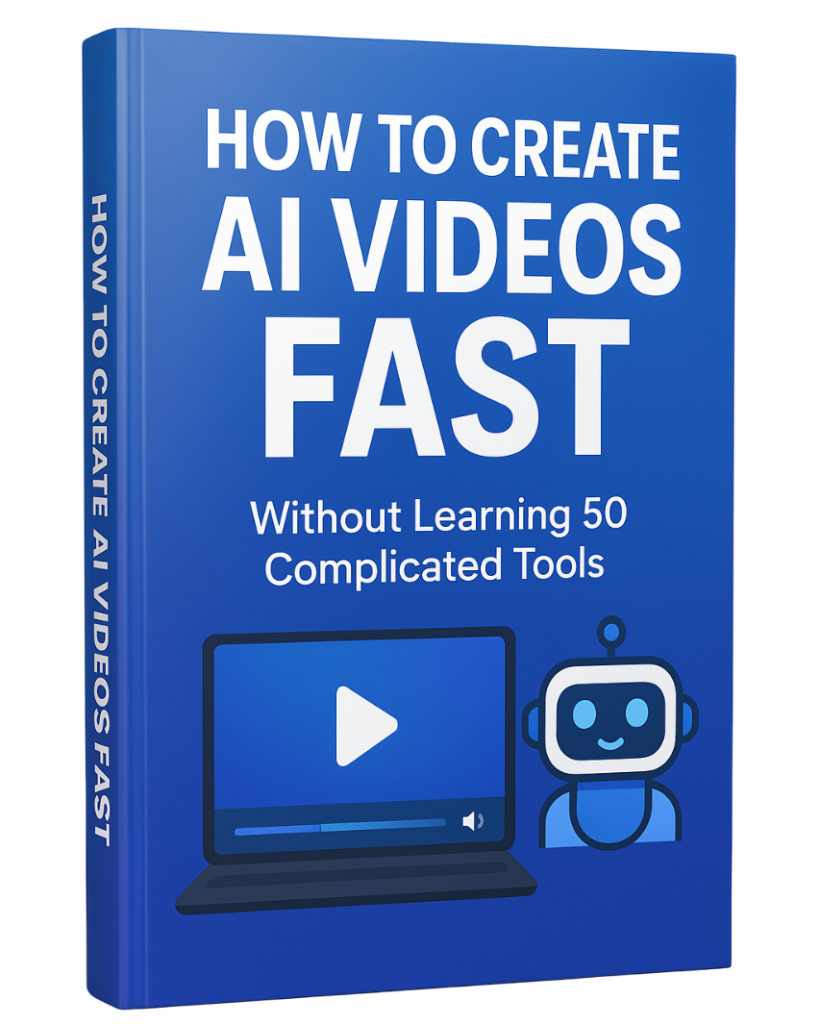
If you want a step-by-step guide to create AI videos fast — without learning 50 complicated tools — download the free PDF below and simplify your entire workflow.
Download the free guide:
How to Create AI Videos FAST Without Learning 50 Complicated Tools