
AI Video Creation Free: How to Create High-Quality Videos Without Paying for Tools
Introduction
AI video creation free has become one of the most searched topics among creators, entrepreneurs, and publishers looking to produce content without increasing costs. The idea of generating videos using artificial intelligence at zero cost is appealing, especially for beginners, small businesses, and creators testing new formats.
However, “free” does not mean unlimited, effortless, or professional by default. Many people approach AI video creation with unrealistic expectations and end up frustrated by watermarks, low-quality visuals, rigid templates, or strict usage limits.
The truth is more nuanced. It is absolutely possible to create useful, engaging, and even scalable video content using free AI tools, but only when creators understand how to combine them properly, accept their limitations, and design workflows that prioritize clarity and retention over flashy effects.
This article explains what AI video creation free actually means, which parts of the process can be done without paying, which trade-offs exist, and how to build a realistic workflow that produces watchable videos instead of disposable content.
Context and Relevance of AI Video Creation Free
Why “Free” AI Video Creation Is in High Demand
Several factors have driven the surge in interest around free AI video tools:
- Rising costs of traditional video editing software
- Increased demand for video content across platforms
- Growth of faceless and automation-based channels
- Easier access to AI-powered creative tools
For many creators, video is no longer optional. Platforms prioritize it, audiences consume it faster than text, and advertisers favor it. At the same time, not everyone can justify monthly subscriptions before validating an idea.
This is where AI video creation free becomes relevant. It allows experimentation without financial pressure.
What “Free” Actually Means in Practice
Most free AI video tools operate under one or more of these conditions:
- Limited exports per month
- Watermarks on videos
- Reduced resolution or length
- Restricted features compared to paid plans
Understanding these constraints is essential. Free tools are best used for learning, testing formats, validating ideas, or producing supporting content, not for unlimited production at scale.

What AI Video Creation Free Can and Cannot Do
What Free AI Video Tools Are Good At
Free AI tools can effectively handle:
- Script drafting and outlines
- Basic video assembly
- Simple transitions and layouts
- Stock footage suggestions
- Auto-captioning and subtitles
- Voiceover generation with limits
These capabilities are enough to create informative videos, explainers, and short-form content when used correctly.
What Free AI Video Tools Struggle With
Free versions often fall short in areas that affect professionalism:
- Brand consistency
- Advanced customization
- Natural pacing and emphasis
- High-resolution exports
- Commercial usage rights
This is why creators relying solely on free automation often see low retention. The issue is not AI itself, but how it is used.
AI Video Creation Free Workflow Explained
Step 1: Script Creation Using Free AI Tools
The foundation of any good video is the script. Many free AI writing tools can generate usable drafts when given clear instructions.
Best practices for free AI scripting:
- Focus on one clear idea per video
- Avoid long introductions
- Use short, spoken sentences
- Edit manually for clarity and tone
AI should be used to accelerate ideation, not replace judgment.
Step 2: Visual Assembly With Free AI Video Generators
Free AI video generators typically rely on templates combined with stock visuals.
To improve results:
- Match visuals to meaning, not just keywords
- Remove unnecessary scenes
- Keep clips short and purposeful
- Avoid overusing animations
Simple, clean visuals often perform better than complex effects.
Step 3: Free Voiceover and Audio Options
Many platforms offer limited free voiceover usage. While these voices are not perfect, they can work for certain formats.
Tips for better audio results:
- Choose neutral, clear voices
- Avoid exaggerated AI tones
- Pair with captions for clarity
- Normalize audio using free tools
Audio clarity matters more than voice realism.
Step 4: Human Editing for Retention
Even with free tools, human editing is where quality improves.
Key human editing actions:
- Tighten the first 10 seconds
- Remove repetitive phrases
- Adjust pacing manually
- Emphasize key points visually
Retention is driven by decisions, not software.
Common Mistakes in AI Video Creation Free
Free AI video tools can accelerate production dramatically, but they also amplify bad habits. When creators rely too heavily on automation without strategy, the result is content that feels mechanical, forgettable, and inconsistent. The problem isn’t the technology — it’s how it’s used. Let’s break down the most common mistakes and how to avoid them.
Expecting Professional Results Without Editing
One of the biggest misconceptions about free AI video tools is the idea that you can generate a script, click export, and publish immediately. Technically, you can. Strategically? That’s where things fall apart.
AI-generated videos without human review often lack nuance. The pacing may be off. The hook might be weak. The transitions can feel robotic. And the tone might sound slightly “generic internet voice.” Free tools make this more noticeable because customization options are limited — fewer voice styles, fewer visual controls, fewer editing layers.
Professional content still requires a human touch.
Even small manual adjustments can dramatically improve quality:
- Tightening the first 5 seconds for a stronger hook
- Removing repetitive phrasing
- Adjusting captions for clarity
- Swapping generic visuals for more relevant clips
- Rewriting bland call-to-actions
Think of AI as your first draft assistant, not your final editor. If you skip that refinement stage, your videos blend into the sea of automated content flooding social platforms. And in today’s algorithm-driven environment, “average” gets ignored.
The creators who win with free AI tools treat them as production accelerators — not replacements for creative judgment. Editing is not optional. It’s your competitive advantage.
Using Too Many Free Tools at Once
Another common mistake is tool overload. There’s always a new “best free AI video generator” trending somewhere. So creators jump from one tool to another, stacking multiple platforms for scripting, voiceover, editing, thumbnails, captions, and scheduling — all without a clear system.
The result? Inconsistency and burnout.
When you constantly switch tools:
- Your branding becomes visually inconsistent
- Workflow becomes fragmented
- You waste time reformatting assets
- You lose momentum
Free tools already come with limitations. When you combine five of them without structure, those limitations multiply.
Instead, assign clear roles:
- One tool for scripting
- One for video generation
- One for light editing or captions
That’s it.
Mastering a small toolkit produces far better results than experimenting endlessly without direction. Efficiency compounds. When your workflow becomes predictable, your output increases and your stress decreases.
Remember: creativity thrives inside systems. Tool chaos kills productivity.
Ignoring Platform Expectations
Perhaps the most damaging mistake is publishing the exact same AI-generated video across every platform without adaptation. Social media platforms are not interchangeable distribution channels — they are different ecosystems with unique audience behaviors.
What works on YouTube may flop on TikTok. What performs on Instagram Reels might underperform on LinkedIn.
Common errors include:
- Posting horizontal videos on vertical-first platforms
- Using long intros on short-form platforms
- Failing to add subtitles where most users watch muted
- Ignoring trending audio formats
- Writing captions that don’t match platform culture
Each platform has its own rhythm. Short-form video demands fast hooks and rapid pacing. Long-form content allows deeper storytelling. Professional networks require a more authoritative tone. Entertainment platforms reward emotional hooks and bold visuals.
When creators ignore these nuances, engagement drops — not because the content is “bad,” but because it doesn’t match context.
AI tools can generate content quickly, but adaptation is your responsibility. Adjust aspect ratios. Rewrite hooks. Modify calls-to-action. Customize captions. That extra 10% effort can double performance.
The bottom line: free AI video tools are powerful, but they are not strategy engines. Without editing, focus, and platform alignment, even the best automation produces mediocre results.
Avoid these mistakes, and free tools become assets. Repeat them, and they become bottlenecks.
Practical Ways to Maximize Free AI Video Creation
Use Free Tools for Validation, Not Final Scale
Free AI video creation is ideal for:
- Testing niches
- Validating formats
- Learning workflows
- Supporting written content
Once performance is proven, upgrading tools becomes a strategic decision rather than a gamble.
Combine Free AI With Reusable Assets
Creators can improve quality by:
- Reusing intro structures
- Creating consistent text styles
- Developing repeatable scripts
- Maintaining simple branding elements
Consistency compensates for tool limitations.
Focus on Retention Over Visual Complexity
Viewers stay for clarity, pacing, and relevance. Expensive visuals do not guarantee engagement.
AI Video Creation Free for Faceless Content
Faceless content has exploded in popularity for one simple reason: it removes friction. You don’t need a camera setup, professional lighting, a personal brand built around your image, or even the confidence to be on screen. And that’s exactly why free AI video creation tools are especially powerful in this space.
When you remove the face, the focus shifts to structure, clarity, pacing, and value. That’s where AI tools shine.
Faceless videos are built around scripts, voiceovers, stock visuals, motion graphics, subtitles, and background music — all elements that free AI platforms can generate or assist with. You’re not competing on cinematic quality. You’re competing on how well you communicate ideas.
Let’s break down why this combination works so well.
Why Faceless Formats Work So Well with Free AI Tools
Faceless formats are information-driven rather than personality-driven. That’s a critical difference.
When content depends heavily on personal charisma or on-camera performance, AI can’t fully replace that human presence. But when the goal is to explain, summarize, list, analyze, or comment — AI becomes an amplifier.
These formats prioritize:
- Clear scripting
- Logical flow
- Strong hooks
- Concise delivery
- Visual reinforcement
Free AI tools can:
- Generate structured scripts in seconds
- Convert text into voiceovers
- Suggest stock visuals or animations
- Automatically add captions
- Speed up editing workflows
Because faceless content relies more on organization than production complexity, it’s easier to produce consistently at scale — even with limited resources.
Popular Faceless Video Formats That Work with Free AI
Below are some of the most effective faceless formats that pair extremely well with free AI video creation tools.
1. Educational Explainers
Educational videos are ideal for AI-assisted production because they depend on clarity, not personality. Whether you’re explaining a marketing concept, a finance tip, a tech trend, or a historical event, what matters most is how well the information is structured.
AI can help:
- Outline key points
- Simplify complex ideas
- Generate step-by-step breakdowns
- Suggest visual metaphors
Pair a clear voiceover with relevant visuals and captions, and you have a professional-looking explainer without ever stepping in front of a camera.
2. List-Based Videos
List content performs well across short-form platforms because it’s predictable and easy to consume. “Top 5 tools,” “3 mistakes to avoid,” “7 secrets about…” — these formats naturally create curiosity and retention.
AI excels at generating structured lists with logical sequencing. Free tools can quickly turn those scripts into caption-driven videos with background footage and subtle animations.
The key to success here isn’t flashy editing. It’s clarity, rhythm, and strong hooks. If each point delivers value, the format does the heavy lifting.
3. Process Walkthroughs
Tutorial-style videos and process breakdowns are another strong match. These might include:
- “How to set up…”
- “Step-by-step guide to…”
- “Beginner’s roadmap for…”
With AI, you can generate a clean outline, convert it into narration, and pair it with screen recordings or relevant stock visuals. Even with free tools, this format looks professional because viewers are focused on learning — not production aesthetics.
What matters most is logical sequencing and simplicity.
4. Industry Insights
Commentary and insight-driven videos can also be produced without showing your face. These videos focus on trends, predictions, analysis, or breakdowns within a specific niche.
For example:
- Marketing trends
- AI industry updates
- E-commerce strategies
- Crypto or tech commentary
AI can help summarize articles, generate talking points, and structure opinions. You provide the angle. AI helps organize the delivery.
This format builds authority without requiring personal branding visuals.
5. Commentary with Visual Support
Reaction-style or commentary content can also be faceless. Instead of appearing on camera, you can use visuals, screenshots, charts, or relevant clips while a voiceover explains your perspective.
The success of this format depends on:
- Strong opinions or insights
- Clear positioning
- Engaging pacing
Free AI tools help accelerate scripting and editing, but your unique interpretation is what creates differentiation.
Why Structure Beats Production in Faceless Content
The biggest advantage of faceless video formats is that they are system-friendly.
You can create repeatable templates:
- Hook
- Context
- Key points
- Example
- Conclusion with call-to-action
Once that structure is defined, AI becomes a multiplier. Instead of reinventing your process every time, you simply plug in a new topic and refine the output.
This is especially powerful for creators building niche authority. You don’t need cinematic shots. You need consistency and clarity.
And here’s the strategic truth: audiences rarely unsubscribe because lighting wasn’t perfect. They disengage because the content lacked value or structure.
Free AI tools handle the repetitive mechanics. You handle positioning and refinement.
The Strategic Advantage of Going Faceless
Faceless AI-powered content lowers barriers to entry, reduces production time, and increases scalability. It allows creators to:
- Publish more frequently
- Test more topics
- Experiment with different angles
- Build theme-based channels
- Maintain privacy
For beginners, this reduces intimidation. For experienced creators, it increases leverage.
In the long run, faceless AI video creation isn’t about hiding — it’s about optimizing. When you design your content around structure instead of personality, you create an engine that can grow with minimal overhead.
And with free AI tools, that engine can start running today — without a studio, without expensive gear, and without being on camera..
Long-Term Perspective on Free AI Video Creation
Free AI video creation tools are not magic buttons that instantly generate viral success. They are training grounds. When used strategically, they function as low-risk environments where creators can experiment, refine, and develop the skills that actually drive long-term growth.
The biggest mistake beginners make is expecting immediate monetization from free tools alone. The real value is not in the tool itself — it’s in what you learn while using it. Free AI video platforms allow creators to test formats, experiment with hooks, analyze retention patterns, and understand what type of content resonates with specific audiences. That feedback loop is far more valuable than early revenue.
Successful creators treat free AI tools as laboratories. They use them to understand audience behavior: Which topics generate watch time? What pacing keeps viewers engaged? Which thumbnails drive clicks? This data shapes future strategy. Without experimentation, growth becomes guesswork.
Free tools also help refine messaging. When you generate multiple video variations quickly, you start to recognize patterns in tone, structure, and clarity. Over time, you develop stronger storytelling instincts and sharper editing judgment. You learn when to cut faster, when to add text overlays, and when to simplify your message.
Another major benefit is system building. Instead of creating one-off videos, experienced creators use free AI tools to develop repeatable workflows. For example, one script template can become a scalable format. One editing structure can become a recognizable series. Systems reduce decision fatigue and increase output consistency.
Eventually, you will hit limitations — watermarking, export quality restrictions, feature caps, or usage limits. But these constraints are not setbacks. They are signals. They indicate traction. When you outgrow a free tool, it usually means your strategy is working.
In the long term, free AI video creation is not about staying free forever. It is about building skill, discipline, and systems without high upfront investment. Those who approach it as a learning phase rather than a shortcut are the ones who convert experimentation into sustainable growth.
Conclusion
AI video creation free is both possible and practical when approached realistically. Free AI tools provide an entry point into video content creation, allowing creators to experiment, learn, and publish without financial risk.
The key is understanding what free tools can do, where they fall short, and how human judgment fills the gap. High-quality videos are not the result of expensive software alone, but of intentional structure, clear messaging, and thoughtful editing.
When used strategically, free AI video creation becomes a foundation for scalable, sustainable content rather than a dead end.
The Future of AI Video Creation
Learn How to Create AI Video Fast an Easy,
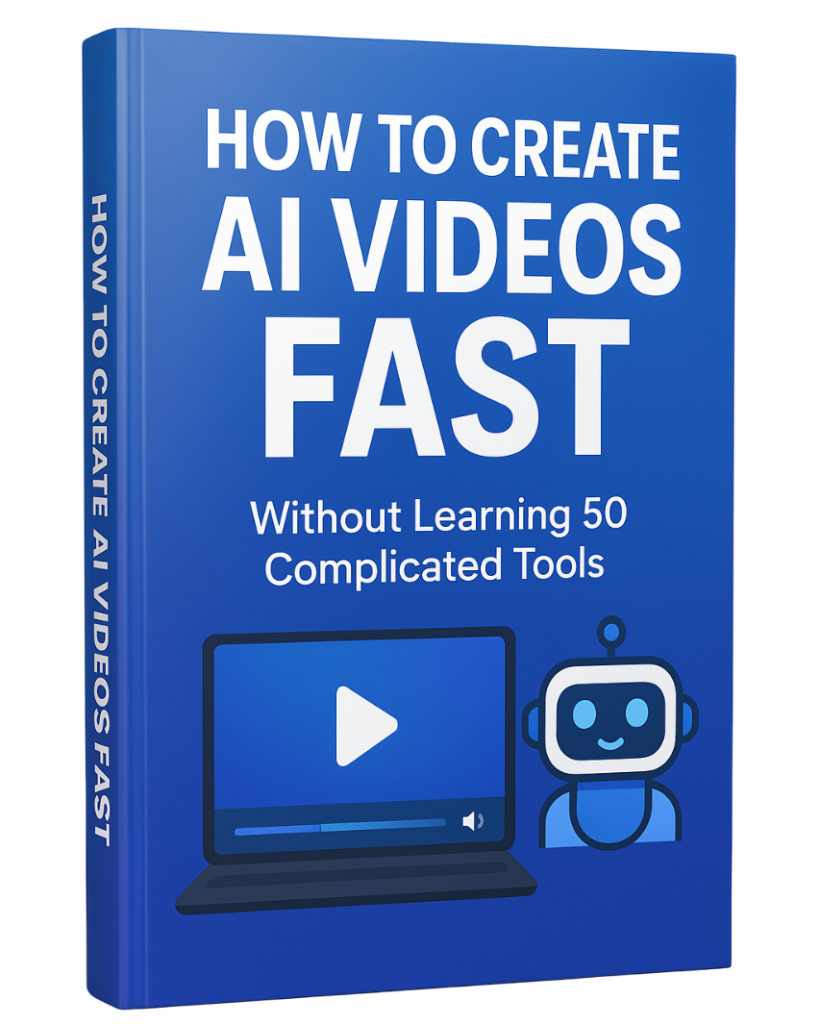
If you want a step-by-step guide to create AI videos fast — without learning 50 complicated tools — download the free PDF below and simplify your entire workflow.
Download the free guide:
How to Create AI Videos FAST Without Learning 50 Complicated Tools