
How to Start an AI Video Channel That Runs Almost Automatically
There has never been a better time to start a video channel. But if you have been putting it off because you do not want to appear on camera, do not have video editing experience, or simply do not have the time to produce content consistently, the game has changed in a significant way. AI tools have matured to the point where a single person can now build and operate a video channel that produces content on a near-automated basis, with minimal manual input and without any traditional video production skills.
This is not about cutting corners or publishing low-quality content. It is about building a smart system where AI handles the heavy lifting: writing the scripts, generating the visuals, adding professional voiceovers, editing the footage, and even helping with publishing strategy. The result is a content operation that can scale without requiring more of your time as it grows.
This guide walks you through every stage of building that kind of channel, from the initial decisions you need to make to the specific tools and workflows that keep the whole thing running with as little manual work as possible.
Why AI Video Channels Are a Real Business Model in 2026
Before getting into the technical steps, it helps to understand why this model works and why it is growing so fast.
Traditional YouTube channels require a significant personal investment. You need to be comfortable on camera, invest in recording equipment, spend hours editing, and show up consistently over months before you start seeing meaningful results. Most people who try this model quit before they reach any real traction.
AI video channels flip that equation. Because the production process is largely automated, you can publish more content with less effort. You are not the product. The content is. And since the content is driven by topic research and audience intent rather than personality, you can operate in almost any niche that has search demand.
Channels built around topics like personal finance, health, technology, history, true crime, and self-improvement are already generating ad revenue and affiliate income using this exact model. Some of these channels have hundreds of thousands of subscribers and their creators never appeared on camera once.
The business model works because platforms like YouTube reward consistent, high-quality content regardless of how that content was produced. What the algorithm cares about is whether people watch, whether they engage, and whether they come back. A well-structured AI-generated video can deliver on all three of those criteria when done correctly.

Step One: Choose a Niche With Real Search Demand
The foundation of any successful video channel is niche selection. This is where many creators go wrong, either choosing something they personally find interesting without validating whether there is an audience for it, or going so broad that they cannot establish any authority.
For an AI video channel that runs automatically, your niche selection should be guided by three factors.
Search Volume and Evergreen Demand
You want topics that people are actively searching for and that will remain relevant over time. Evergreen content performs well because it continues attracting views long after it is published. Topics like budgeting strategies, productivity systems, historical events, or how-to guides in specific industries tend to have consistent demand that does not spike and crash the way trending topics do.
Monetization Potential
Not all niches are equal when it comes to revenue. Channels focused on finance, business, technology, health, and legal topics tend to attract higher-paying advertisers, which means better CPM rates for ad revenue. If you also plan to promote affiliate products, you want a niche where there are strong offers available that match your audience’s interests.
Competition Level
You do not need to find a niche with zero competition. In fact, a niche with no competition often means there is no real audience. What you want is a niche where you can find underserved subtopics, meaning areas where search demand exists but existing content does not fully satisfy the intent behind the search.
Tools like Google Trends, YouTube’s own search suggestions, and AI-powered keyword research platforms can help you map out the opportunity landscape before you commit to a direction.
Step Two: Build Your Content Production System
Once you have your niche, the next step is building the production system that will power your channel. This is where AI tools become central to the entire operation.
An AI video production system typically has five components working together: topic research, scriptwriting, visual generation, voiceover production, and final assembly. Each of these can be handled or significantly assisted by AI tools.
Topic Research and Content Planning
The starting point for any video is identifying what to make it about. AI tools can help you analyze search trends, find content gaps, and generate content calendars based on your niche.
Platforms like VidIQ and TubeBuddy offer AI-powered features that identify high-opportunity keywords for YouTube specifically. You can also use AI writing assistants to brainstorm video titles, analyze competitor channels, and map out a month’s worth of content ideas in a single session.
The goal here is to create a content calendar that you can work from, a list of upcoming video topics prioritized by their potential to attract views and align with your monetization strategy.
AI Scriptwriting
Once you know what you are making, you need a script. This is one of the areas where AI has made the biggest leap in recent years.
Modern AI writing tools can generate complete video scripts from a title or brief description. Tools like Jasper, Copy.ai, and ChatGPT-based interfaces can produce structured, engaging scripts in a fraction of the time it would take to write them manually.
The key to getting good scripts from AI is giving it clear direction. Instead of just entering a title and accepting whatever comes out, treat the AI as a collaborator. Feed it context about your audience, the tone you want, the length of the video, and any specific points you want covered. Review the output, make adjustments where needed, and then move to the next stage.
Over time, you can develop prompt templates that consistently produce scripts at the quality level you need, which makes this step faster and more reliable.
AI Voiceover Generation
For a faceless channel, voiceover is one of the most critical elements. The voice is how viewers connect with your content, and the quality of your narration will significantly affect how long people stay watching.
AI voice generation has improved dramatically. Tools like ElevenLabs, Murf, and Descript offer voices that are genuinely difficult to distinguish from human recordings in a casual listening context. You can choose from dozens of voice styles, adjust pace and tone, and generate a complete narration track in minutes.
The workflow here is simple. You paste your script into the voiceover tool, select your voice, generate the audio, and export the file. That narration track then becomes the audio backbone of your video.
AI Visual Generation and B-Roll
Visuals are where many people assume AI still falls short, but that gap has closed significantly. For most AI video channels, the visuals consist of a combination of stock footage, AI-generated images, and text overlays rather than fully AI-generated video footage.
Tools like Pictory, InVideo, and Synthesia can automatically match visuals to a script or narration. You paste your script or audio file into the platform and the tool selects relevant video clips, arranges them into a sequence, and adds captions automatically.
For channels that want a more distinctive visual style, AI image generators like Midjourney or Adobe Firefly can produce custom visuals that match a specific aesthetic. These can be combined with the AI-generated narration to create a cohesive visual identity that sets your channel apart from others using the same stock footage library.
Video Assembly and Final Editing
Once you have your narration and visuals, the final step is assembly. Many of the tools mentioned above handle this automatically. Platforms like Pictory and InVideo take your script and narration and produce a complete video ready for export, including captions, background music, and transition effects.
If you want more control over the final look, tools like CapCut or DaVinci Resolve allow you to bring all of your elements together and make manual adjustments. Even here, AI features within these tools can help you with things like automatic caption generation, noise removal, and color correction.
Step Three: Set Up Your Publishing Workflow
Producing videos is only part of the system. Getting them published consistently is where many creators lose momentum. The solution is to treat publishing as a workflow with its own automation layer.
Batch Production
Rather than producing and publishing one video at a time, batch your production sessions. Set aside time once or twice a week to produce multiple videos at once. This way, you always have a queue of finished content ready to go, and you are never scrambling to produce something the night before a scheduled upload.
Scheduling and Consistency
YouTube rewards consistent publishing. Whether you upload once a week or three times a week, what matters is that you stick to a schedule that the algorithm and your audience can anticipate.
YouTube Studio has a native scheduling feature that lets you upload videos and set a future publish date. Once you have a queue of finished videos, you can schedule them out several weeks in advance and let the system run.
Thumbnails and Titles
Thumbnails and titles are two of the most important factors in whether someone clicks on your video. AI design tools like Canva’s AI features or Adobe Express can help you create compelling thumbnails quickly by generating visual concepts based on your video topic.
For titles, AI writing tools can generate multiple options that you can test over time to see which formats perform best for your specific audience and niche.
Step Four: Monetize the Channel
Once your channel is producing content consistently and building an audience, you have several monetization options available.
YouTube’s Partner Program allows you to earn ad revenue once you meet the threshold of 1,000 subscribers and 4,000 watch hours in the previous twelve months. For channels in high-CPM niches, this can become a meaningful income source relatively quickly.
Beyond ad revenue, many AI video channel creators generate additional income through affiliate marketing by recommending products and services within their videos and including affiliate links in the description. Channels in the finance, technology, and business niches often find affiliate income exceeds their ad revenue within a few months.
Digital products are another strong option. Once you have an audience, selling a guide, template, or course that aligns with your content is a natural extension of what you are already doing.
AI Video Channel Real-World Example:
A Personal Finance AI Channel
To make this concrete, consider a channel focused on personal finance tips for people in their thirties and forties. The creator uses AI tools to research high-traffic topics like budgeting methods, debt payoff strategies, and retirement planning basics.
Each week, they generate three to four scripts using an AI writing tool, produce narration with ElevenLabs, assemble the videos using Pictory, and schedule them through YouTube Studio. The entire production process for a week’s worth of content takes roughly three to four hours.
The channel monetizes through YouTube ads and affiliate links to financial apps and books. Within eight months, it is generating consistent monthly revenue without the creator ever appearing on camera or recording a single second of their own video footage.
This is the model that AI tools now make possible for almost anyone willing to build the system.
The Best AI Tools to Start Your Automated Video Channel Right Now
Knowing the workflow is one thing. Having the right tools to execute it is another. The good news is that in 2026 there are mature, accessible AI platforms for every stage of the video production process, many of them with free plans or affordable entry-level tiers that make it realistic to start without a significant upfront investment.
Here is a practical breakdown of the tools that work best for each stage of an automated video channel.
Tools for Scriptwriting and Content Planning
ChatGPT and Claude Both are excellent for generating video scripts, brainstorming topic ideas, and building content calendars. The key is learning to give them structured prompts that specify your niche, target audience, video length, and tone. Once you develop a prompt template that works for your channel, you can produce a polished script draft in under five minutes.
Jasper Jasper is built specifically for marketing and content creation. It has templates designed for video scripts, YouTube descriptions, and hooks that are optimized for engagement. For creators who want a more structured AI writing environment than a general-purpose chatbot, Jasper is worth exploring.
Copy.ai Similar to Jasper but with a simpler interface. Useful for generating multiple variations of titles, intros, and hooks quickly so you can choose the strongest option before committing to a full script.
Tools for AI Voiceover Generation
ElevenLabs Currently one of the most realistic AI voice generators available. It offers a wide library of voices across different accents, ages, and styles. The free plan allows you to generate a limited number of minutes per month, which is enough to test the quality before committing. For a faceless channel, the voice quality here is genuinely difficult to distinguish from a human narrator in a casual listening context.
Murf Murf offers a clean interface with a strong selection of professional voices. It also allows you to adjust pacing, emphasis, and pitch directly within the platform, which gives you more control over how the final narration sounds without needing a separate audio editor.
Descript Descript is more than just a voiceover tool. It allows you to edit audio and video by editing text, which significantly speeds up the post-production process. It also has an Overdub feature that can clone a voice, useful if you want a consistent narrator voice across all your videos.
Tools for Video Generation and Visual Assembly
Pictory One of the most practical tools for automated video channels. You paste your script or upload your audio and Pictory automatically matches relevant video clips from its stock library, adds captions, and assembles a complete video ready for export. It is not perfect, but the output is good enough for most evergreen content niches and the time savings are significant.
InVideo InVideo offers a similar automated assembly workflow with a larger template library. It also has an AI-powered script-to-video feature that takes a topic and generates a complete video with visuals, text overlays, and background music. Good for creators who want more design control than Pictory offers.
Synthesia If you want a human-looking presenter in your videos without appearing on camera yourself, Synthesia generates AI avatars that deliver your script in a realistic way. This works particularly well for educational and business-focused channels where a presenter adds credibility to the content.
Runway ML For creators who want more advanced AI video generation capabilities, Runway ML offers text-to-video and image-to-video features that produce original footage rather than relying on stock clips. The output quality has improved significantly and it opens up creative possibilities that stock footage libraries simply cannot match.
Tools for Thumbnail Creation and Channel Design
Canva Canva remains one of the most practical design tools for video creators who are not graphic designers. Its AI-powered features can generate thumbnail concepts, resize designs for different platforms, and produce consistent visual branding across your entire channel. The free plan covers most of what a new channel needs.
Adobe Firefly Adobe Firefly is Adobe’s AI image generation tool integrated into their Creative Cloud ecosystem. For creators who want custom, original visuals rather than stock imagery, Firefly can generate backgrounds, graphic elements, and thumbnail compositions from text prompts. The output integrates cleanly with Photoshop and Illustrator for further refinement.
Tools for Scheduling and Distribution
TubeBuddy TubeBuddy is a browser extension that integrates directly with YouTube Studio. It provides AI-powered keyword research, title suggestions, tag recommendations, and best time to publish data specific to your channel’s audience. For an automated channel, it helps you optimize each upload for maximum visibility without spending hours on manual research.
VidIQ Similar to TubeBuddy, VidIQ offers competitive analysis, keyword tracking, and AI-generated title and description suggestions. Many creators use both tools in parallel during the early stages of a channel to gather as much data as possible before settling on a consistent optimization approach.
A Practical Starter Stack for New Creators
If you are just getting started and want to keep costs low while building your first automated channel, this combination covers every stage of the workflow without overwhelming you with too many platforms at once.
- ChatGPT or Claude for scriptwriting and content planning
- ElevenLabs for voiceover generation
- Pictory or InVideo for video assembly
- Canva for thumbnails and channel art
- TubeBuddy for YouTube optimization
This stack can be assembled largely with free or low-cost plans, and it gives you everything you need to go from a topic idea to a published video in a single working session. As your channel grows and your production budget increases, you can layer in more advanced tools like Runway ML for original footage or Synthesia for AI presenter videos.
The important thing at this stage is not to have the most sophisticated setup. It is to have a functional system that you can execute consistently. Start simple, build the habit, and upgrade the tools as the results justify the investment.
AI Video Channel: Conclusion
Starting an AI video channel that runs almost automatically is no longer a futuristic idea. It is a practical content strategy that thousands of creators are already using to build audiences and generate income without the traditional burdens of video production.
The key is to think in systems rather than individual videos. When you combine smart niche selection with AI-powered scriptwriting, voiceover generation, visual production, and a disciplined publishing workflow, you create something that scales. The more content you produce, the more the system compounds over time, attracting views, building authority, and generating revenue.
If you are serious about building this kind of automated content operation, the next step is to explore how AI production systems can be combined into a single streamlined workflow that handles everything from content creation to distribution. That is where the real leverage is, and it is what separates creators who build lasting channels from those who burn out after a few months.
The tools exist. The model is proven. What you need now is a system to bring it all together.
AI VIDEO Automation
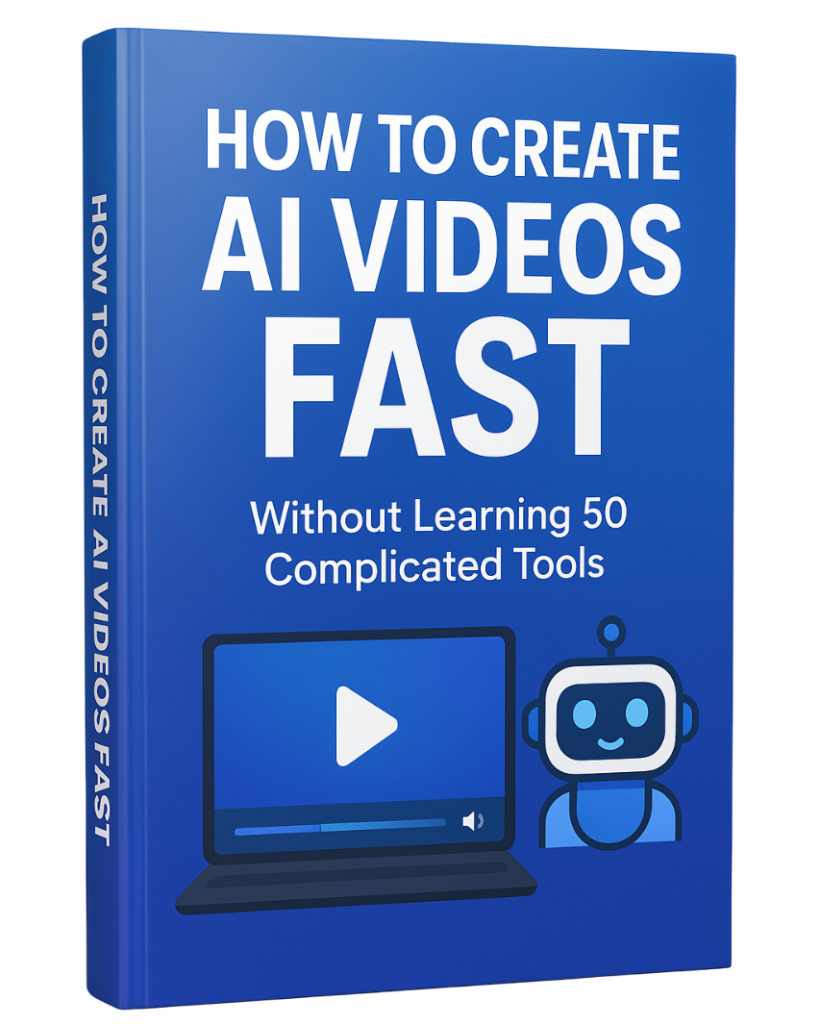
Learn How to Create AI Videos Fast an Easy,
If you want a step-by-step guide to create AI videos fast — without learning 50 complicated tools — download the free PDF below and simplify your entire workflow.